Day 4 - Find Inspiration While Your Shop is on Vacation

Introduction
Are you planning on taking a vacation this spring or summer? Spring and summer tend to be the slowest times of the year on Etsy, so it’s a great time for sellers to also take some time to unwind, relax, and rejuvenate. The good news is that you don’t have to stop selling on Etsy, even if you take some time away. Did you recently begin using Google Analytics? Since GA can only collect data from the point when it was connected, it’s going to take time to collect enough information for you to make data-based decisions regarding your business. Any recent changes you’ve made to your listings also need time to settle in.
Give these tools some time to gather data for your shop while you work on other things. Today we’ll be talking about utilizing Vacation Mode, extending processing times, and finding inspiration while you’re taking some time for yourself.
Vacation Mode
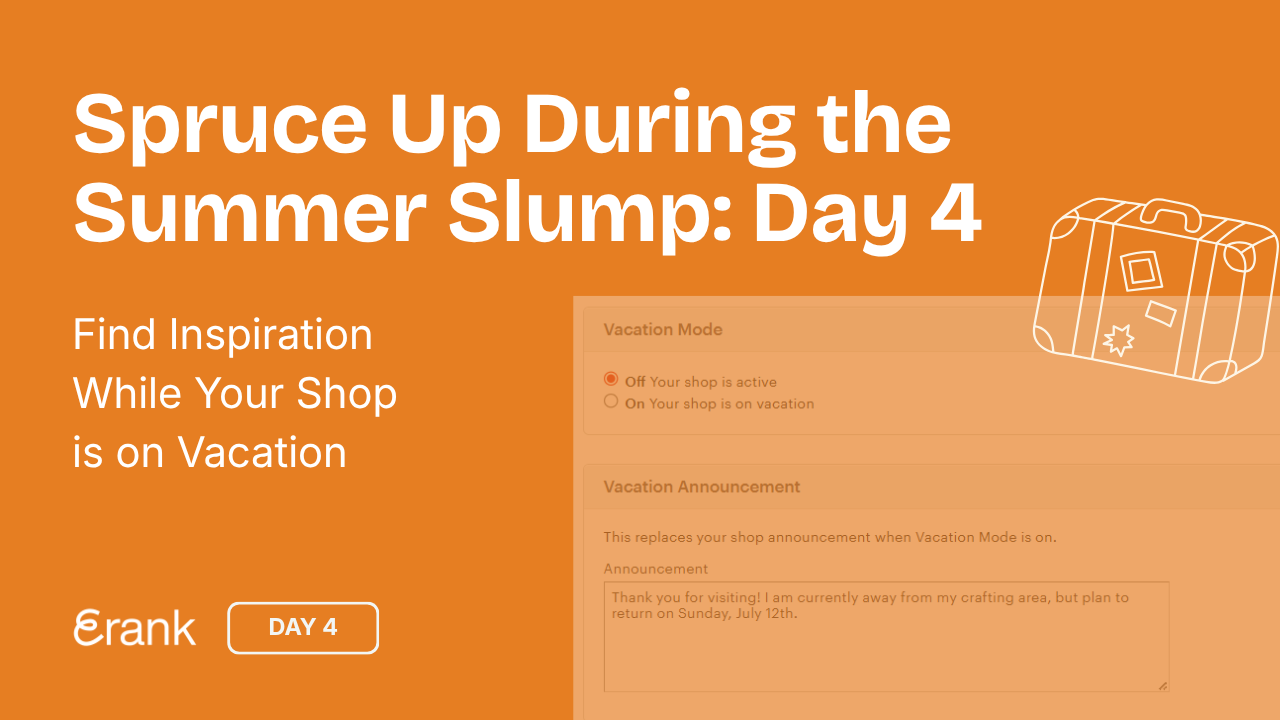
Everyone needs to take a break now and then, and Etsy makes it easy for sellers to do so. Whether it’s for a holiday away or a staycation, Etsy sellers can turn on Vacation Mode (also known as Holiday Mode) to temporarily pause incoming orders. Sellers are still able to process open orders by purchasing shipping labels and messaging customers, but no new orders can come in.
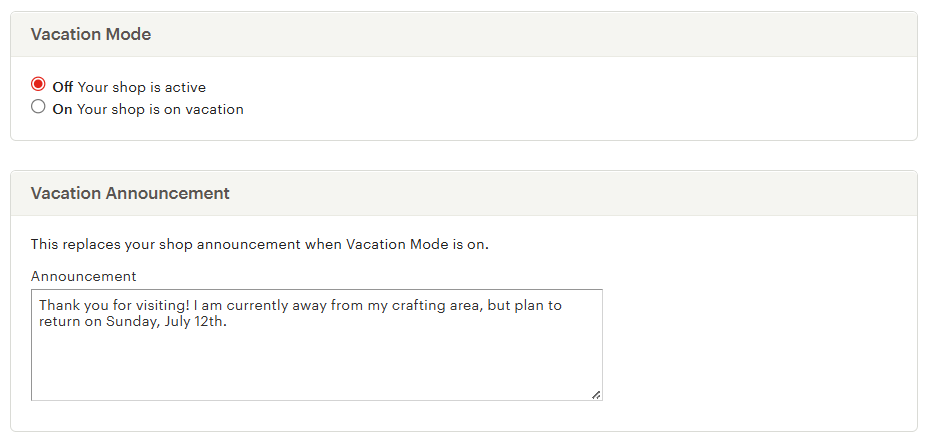
To turn on Vacation Mode, click on Settings within your Etsy Shop Manager dashboard. Select the tab “Vacation Mode” (or “Holiday Mode”, depending on where you live) to access the Vacation Mode page. Here sellers can add a note that replaces their shop announcement for the duration of their break. If you know when you’ll be coming back, make a note of it here, so potential buyers know when they can once again place orders.
Another feature sellers should take advantage of is the ability to add an auto-reply for messages. Should a shopper send you a message while you’re away, this reply gets sent, ensuring that your customer service stats don’t fall due to unanswered messages.

But I’ve Heard that Vacation Mode Hurts Shops!
Some sellers worry that utilizing Vacation Mode can hurt their shop, from a ranking perspective. But that isn’t the case; taking a pause has no negative effect on your shop quality or customer experience scores. However, while your shop is on break, your competitors are still acquiring views, favorites, and sales, so they may climb the ranking ladder, while your shop stays stagnant. This means that your shop isn’t “worse”, but your competitors may temporarily rank higher in search due to recent activity. As this is a quiet time of the year, they likely have not had too many sales, so you will catch up again soon, coming back refreshed and ready to hit the ground running.
Some sellers do experience a slowdown once they return from Vacation Mode, especially if the break is for an extended period of time. A few ways to help gain momentum back are by posting on social media, running a sale, or launching a new product that you’ve been saving for this occasion.
💡 Note that Google Analytics will only be able to continue gathering data while a shop is open (since your listings are removed from search). If you’re concerned about using Vacation Mode, another option is to extend your processing times, if you know how long you’ll be away from your creative space or shipping station.
Extending Processing Times
For those times you want to give yourself some breathing room while also allowing shoppers to find you and new orders to come in, consider extending your processing times. This is an option great for vintage, handmade, and physical item sellers, as this is the time given for sellers to make or pack items for shipping. Unlike Vacation Mode, extending your processing times doesn’t put your shop on “pause” or remove your listings from search results.
Edit your processing profiles via your Etsy Shop Manager dashboard. Click Settings -> Shipping settings to access the page. There, you can edit not only your processing profiles, but your overall shipping profiles as well. Try to keep timelines consistent within your shop, especially for the same types of products. Not only does this set clearer expectations for shoppers, but it’s also easier to revert back to shorter processing times later on.

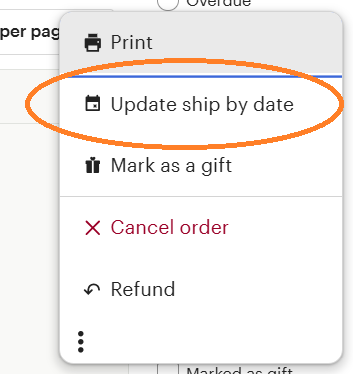
If you have open orders and need to extend your processing times for an emergency (such as medical issue, supply shortage, or weather-related situations), you can do so on an order-by-order basis via the Orders page of your Etsy Shop Manager. Click the three dots on the right-hand side of the order, then click “Update ship by date”. This allows you to change the ship-by date to up to 30 days later than expected.
You can extend the processing time for individual orders only once, so double-check and make sure that you’ll be able to fill the order within the new timeline!
Finding Inspiration on Break (Especially Vintage Sellers!)
No matter where you go for vacation, chances are you’ll see some unique shops or local artisans with handmade wares. For vintage sellers, the spring and summer are ideal times to build up inventory during outdoor flea markets, estate auctions, or antique sales. Take some time before you shop to learn what styles, materials, colors, and products are trending, so you have a focused eye when browsing. Use eRank’s Trend Buzz to explore what’s popular with shoppers. Seeing the types of products that craft suppliers promote during the summer also may hint at the types of products that will be popular throughout the rest of the year.
If you're a vintage seller or are looking to open up a vintage shop on Etsy, eRank’s Beginner's Guide to Selling Vintage on Etsy is a great resource that provides step-by-step guidance on how to begin your journey.
We would love to see photos of you working on finding your new stock while enjoying the summer sun. Shoppers also love behind-the-scenes peeks and getting excited about new things to come. Show off your summer progress on social media, and don’t forget to tag @erankSEO so we can follow along!
Are You an In-person Summer Seller?
Many communities host spring and summer craft fairs, farmer’s markets, and local pop-up shops when the weather is sunny and people are spending time outdoors. This can be a great time to sell locally, and offer products that don’t necessarily fit into the niche of your Etsy shop.
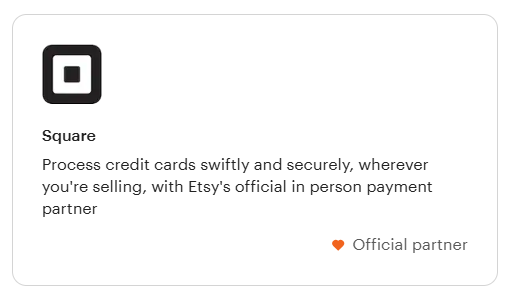
Did you know that you can sync your Etsy shop with a Square account? US-based sellers can connect their Etsy and Square accounts to accept payments at in-person events. If you sell an item in-person that is for sale in your Etsy shop, your inventory automatically updates, and it counts as a sale for your Etsy shop. (Inventory synching is available for sellers in the US, Canada, Australia, and UK.) While you do pay the 20-cent listing fee to renew the listing for that product, the only other fees sellers pay are to Square for payment processing.
Conclusion
Since spring and summer traditionally have fewer shoppers on Etsy, that makes it a great time to take a step back, allow Google Analytics to gather data, and let any changes you’ve made to the keywords in your listings settle. Whether you choose to turn on Vacation Mode, extend your processing times, or keep business running as usual, this is your time to take a breath and give your mental health a boost.
Today’s Tasks
- Plan out breaks and time off for the rest of the year, and decide if you’ll utilize Vacation Mode
- Check your shipping and processing profiles to ensure consistency within your shop
- Research upcoming trends to begin planning for inventory for the remainder of the year
.webp)