Day 8: Photos & Videos for Etsy Listings



Creating Click-Worthy Listing Photos
Once you have optimized your listings, it’s time to persuade shoppers to click on them. The best way to do that is by having a thumbnail image that clearly portrays that item that is for sale.
Why Photos Matter
For listing photos, the expression “A picture is worth 1,000 words” comes to mind. Your photos should provide buyers with as much information as possible. They should be shot and edited in a way that allows the buyer to imagine the item in use. Examples: someone wearing jewelry, art hanging on a wall, or kids coloring a digital printable.
Types of Photos to Include
We recommend that you include many different types of photos within your listings. Sellers now have the ability to add up to 20 photos per listing! However, please note that doing so doesn’t give any type of algorithmic boost, so don’t stress if you can’t fill all 20 spaces!
Etsy gives plenty of examples of what to include in their article 7 Essential Types of Product Photos. Here are some ideas:
- Photos that show scale: have your item next to a ruler or common item to set clear expectations about the size of your item
- Close-ups of details: show shoppers the little details that make your item special
- How it’s packaged: this one is especially important if you sell gifts or offer gift wrapping; unboxing is a fun, trending experience
- Process photos: give buyers a sneak peek into how you make your items; these types of photos can also build trustworthiness with you as a maker
Taking Great Photos Without Expensive Equipment
Once you decide which types of photos best suit your style, branding, and products, how can you go about taking them? The good news is that you don’t need to have an expensive camera or a large setup. Newer cell phones have cameras that are great for taking product photos. Check out 7 Smartphone Camera Tips on the eRank blog for some easy ways to make the most of what you already have!
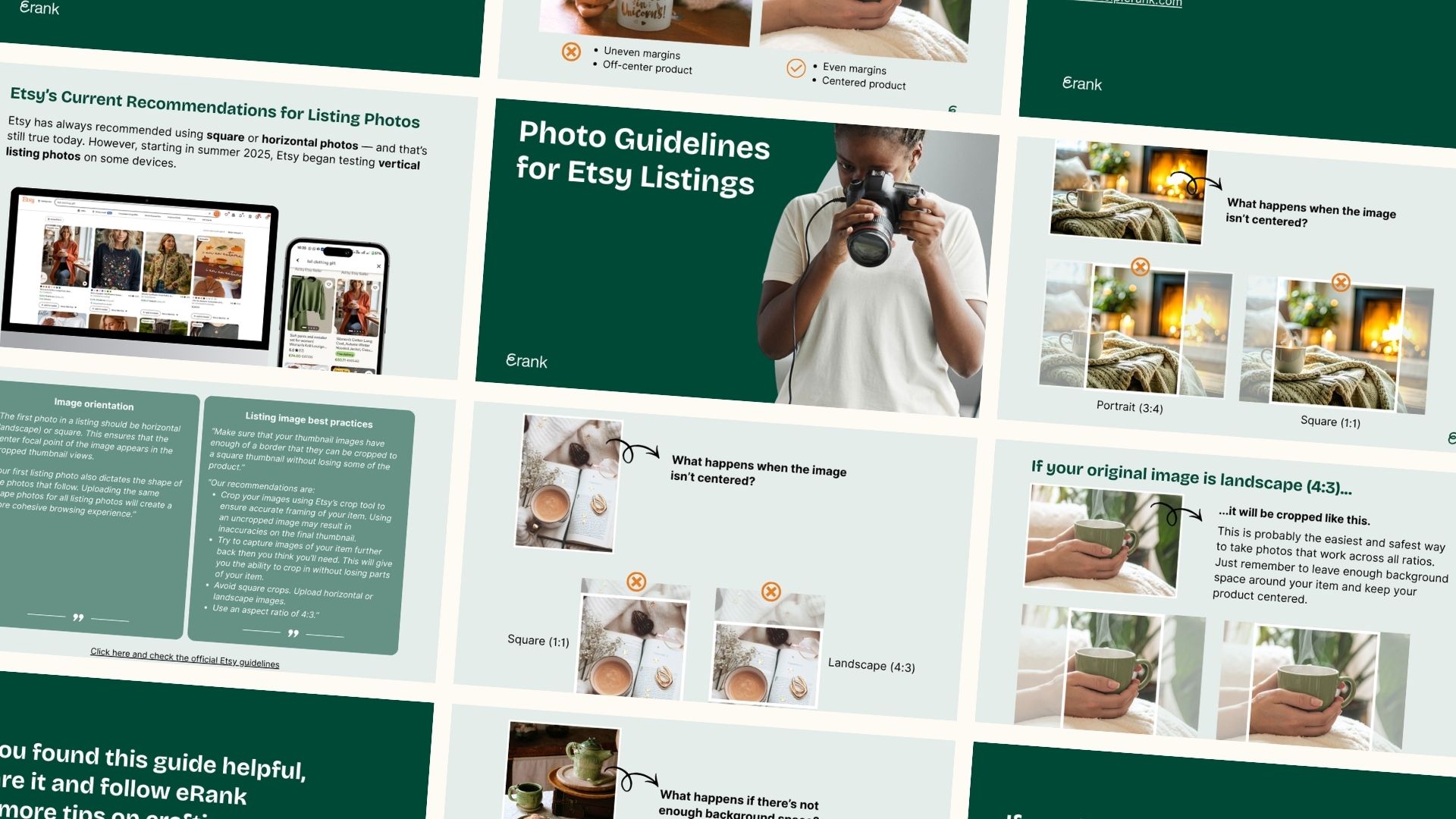
When taking your photos, ensure that there is plenty of space around your items so you’re able to crop them later. Since Etsy is constantly evolving, the platform’s image size and ratios have changed over time as well. Centering each product in its listing’s photos ensures that its thumbnail image clearly depicts it, even after you’ve cropped the photo.
Tips for Better Photos
To help illustrate the variety of Etsy ratios for thumbnails and photos, eRank team member Silvia has a special bonus for you today: this eRank’s guide on thumbnail resizing gives you clearer expectations of how Etsy crops photos, so you can resize them right the first time!
Adding Videos to Your Listings
Along with the 20 photo slots, Etsy provides a space for you to add a video of your product in each listing. These short, silent videos should showcase your product and provide additional details that static photos alone cannot.
Video Ideas
If you sell dresses, have a model twirl while wearing one to demonstrate the flow.
For jewelry, show how the light bounces off the stone to make it sparkle.
If you sell a variety of similar items, you may be able to create just one video and use it in multiple listings!
💡 Pro Tip
For sellers who want to feature slideshows instead of motion videos in their listings, our Create Video tool makes it easy. Upload your images and choose from a variety of ratios, speeds, and transitions. You can even upload your logo to watermark the video! Once you’re happy with the video, download it and add it to your Etsy listings. You can also use the slideshows you build in this tool on your shop’s social media.
Day 8’s Assignments:
- Add at least two new photos to a listing already in your shop
- Test out eRank’s Create Video tool for a listing that doesn’t already have a video
Your Day 8 stories to share
- Choose one of the three story templates below. Click to open, download, or screenshot it.
- Share it on Instagram to show what you’re working on today. Add a personal touch: share who your shop is for or include a question box to connect with your audience.
- Tag @erankseo, and we’ll reshare your story and cheer you on!